Steps to Download IOS-XR Vagrant Box
Since the IOS-XR Vagrant box is currently under Private-Beta, there is a slightly more involved/secure process for downloading the vagrant boxes.
This is just a one time process. Once you have your API-KEY, you can start downloading boxes without going through this again.
Follow along and we'll get you going:
Step 1: Create a CCO-ID
-
To begin, make sure you have a CCO-ID. If you don't have one, create it here:
You will need to activate your account once you receive an Email from Cisco, post sign-up. Without the activation, your subsequent login will fail.
Step 2: Request Access
-
Request Access to the Vagrant box by filling up the form here:
You will get a confirmation email from us stating that you have been granted access.
Step 3: Login to Artifactory
-
Once you have access, browse to the artifactory that houses the vagrant box, here:
http://devhub.cisco.com/artifactory/webapp/#/login
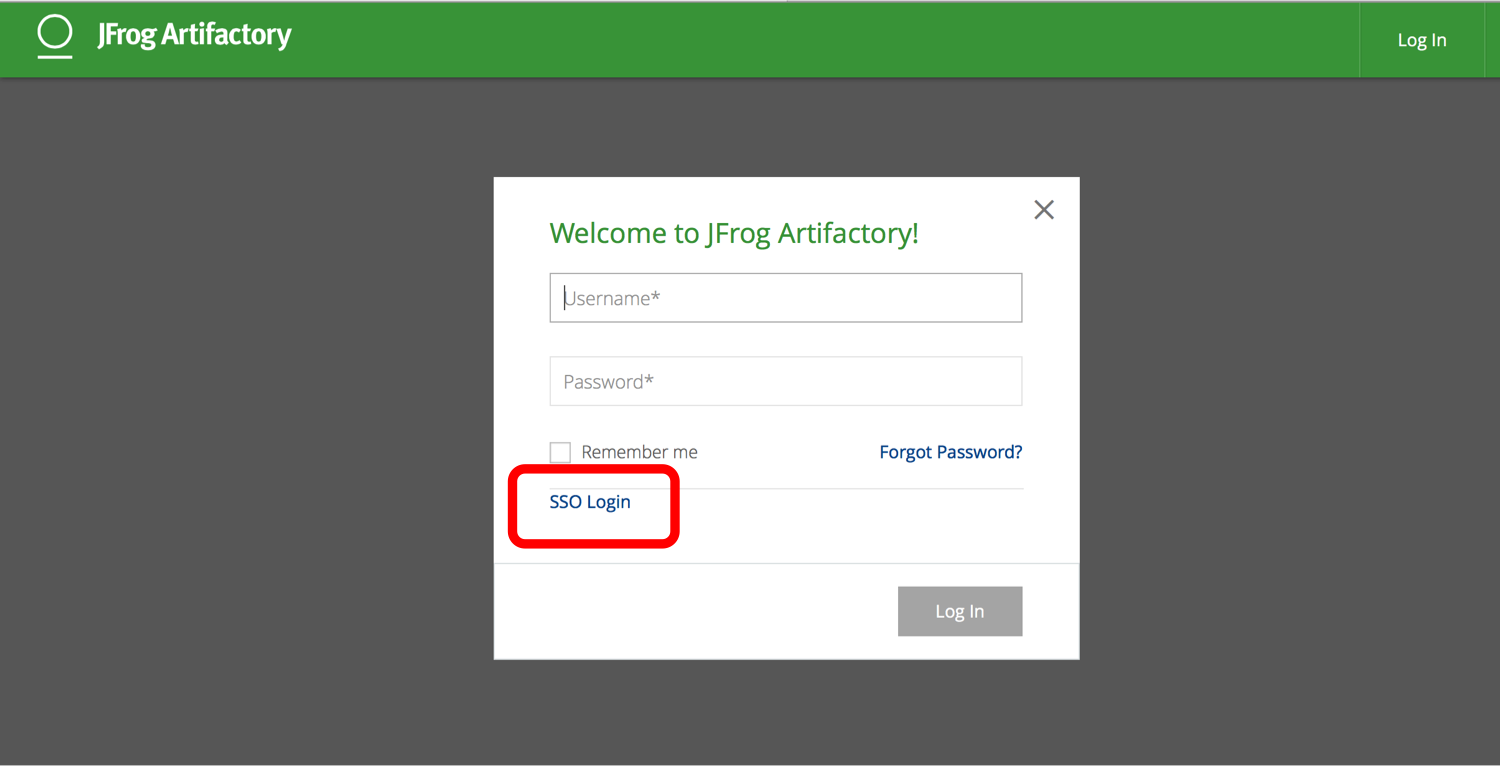
Click on SSO login as shown below:
-
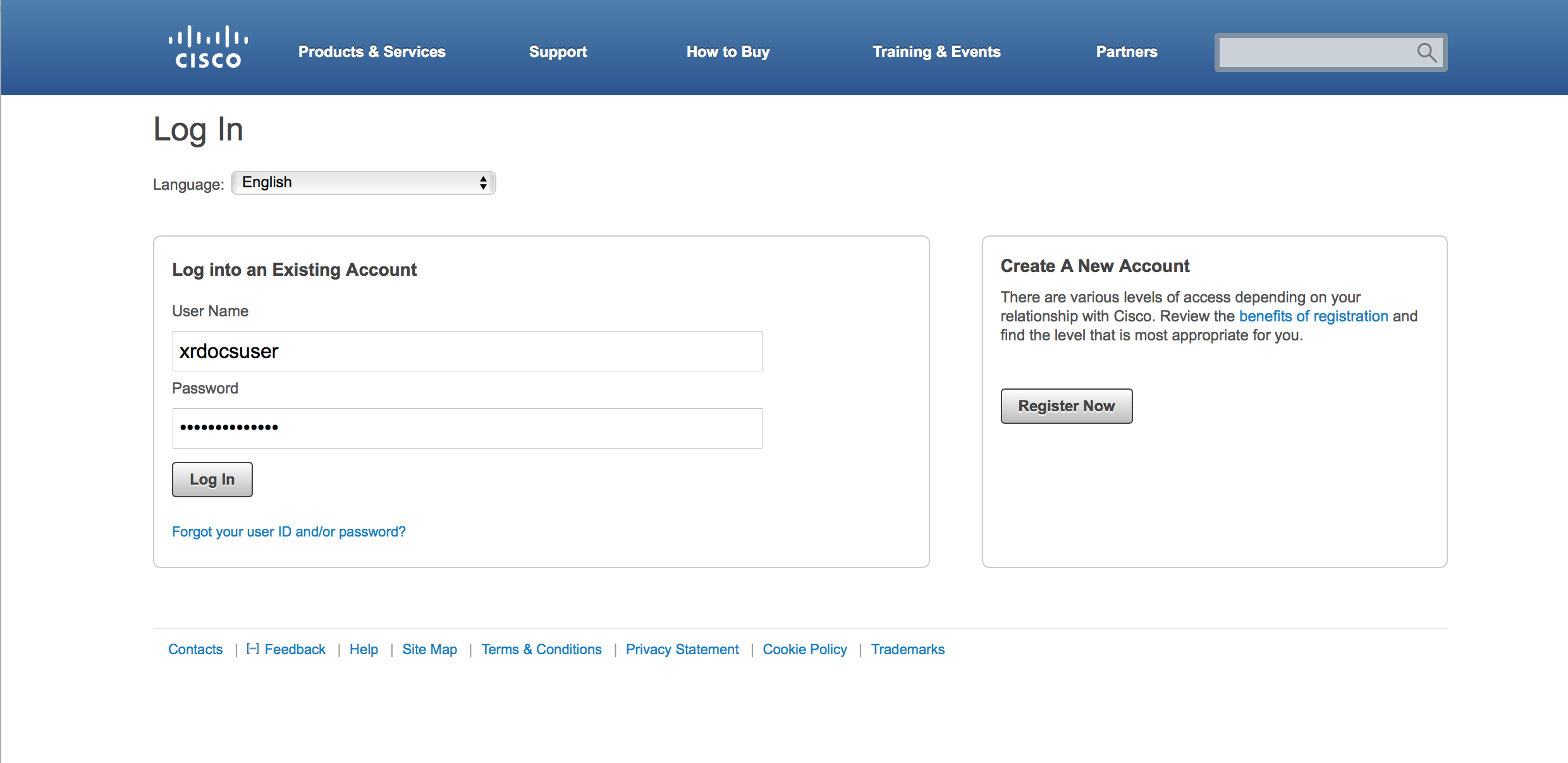
You will be redirected to the page below. Login using your CCO ID
Step 4: Generate API Key
-
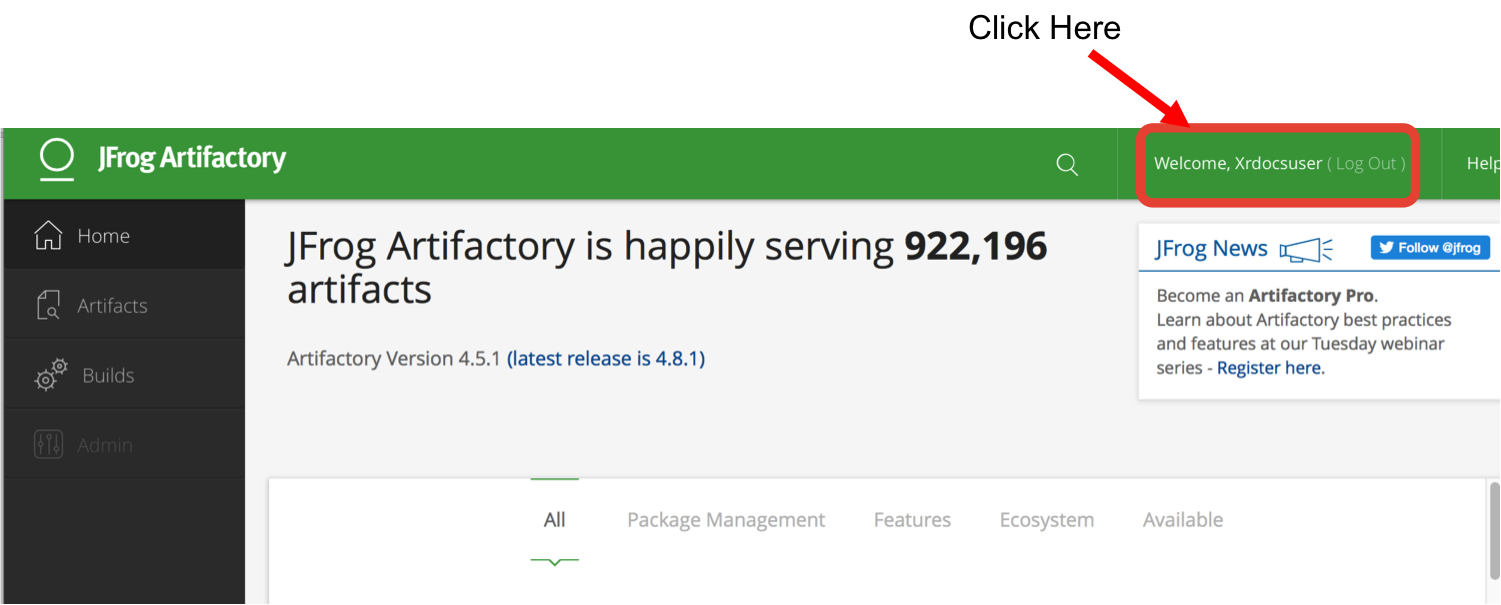
Once you're in, Click on your user-name on the top right to open up the profile settings:
-
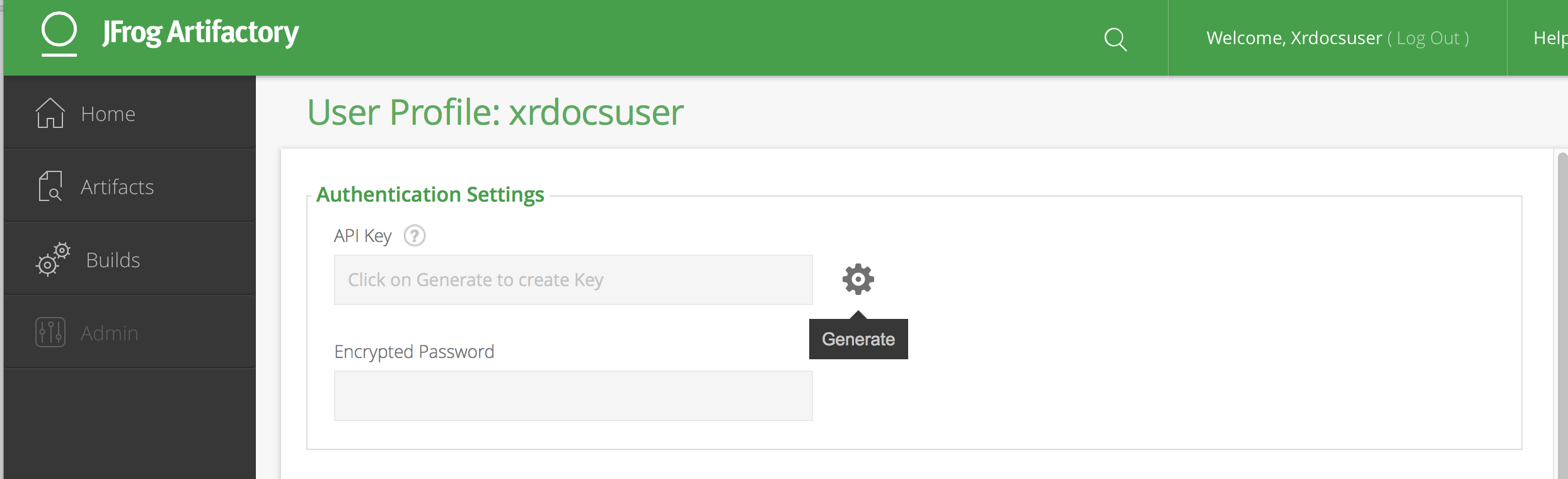
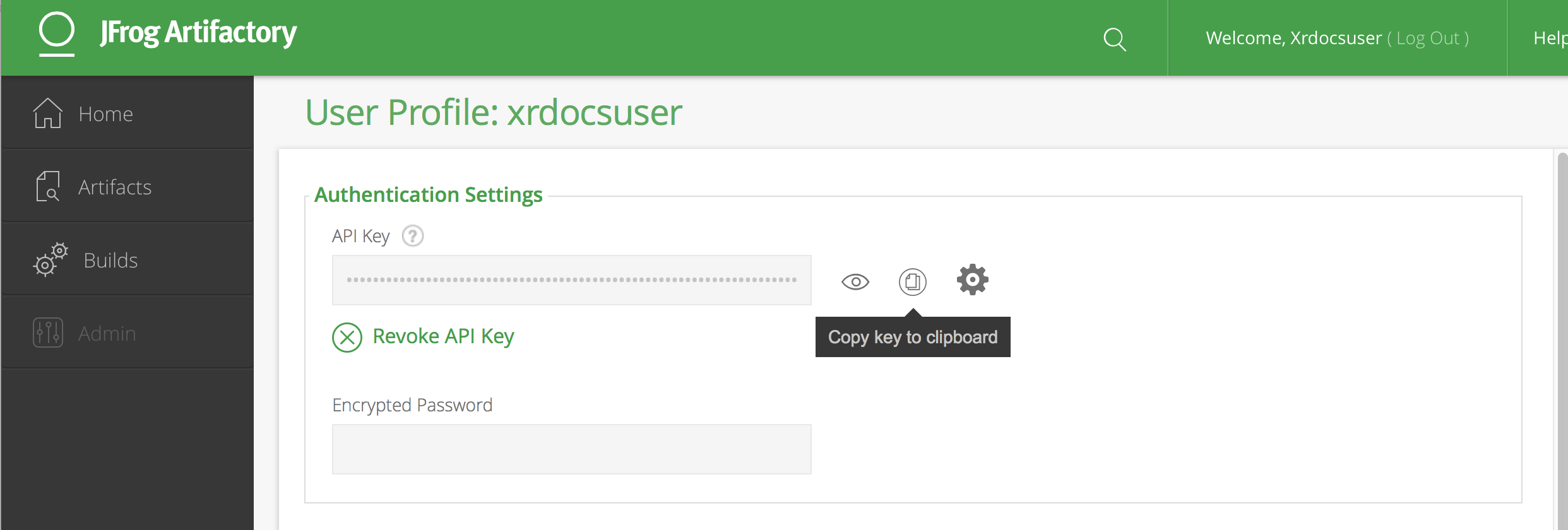
Now generate an API-KEY as shown below:
-
Click on "Copy key to clipboard" to copy your API-KEY for browser-free operation!
Next Steps
Now head over to the IOS-XR Vagrant Quick Start guide to learn how to use this API-KEY and download the box.